Objective
With Kaia supporting transcription in a variety of languages, it’s possible the language selected for a given meeting isn’t actually the language being spoken during the call. If this happens, the transcript will be wrong. Kaia re-transcription makes it possible to fix the transcript by re-processing in the correct language that was spoken during the call. Learn how to re-transcribe a Kaia recording into the correct language in the event the original live transcript was captured incorrectly.
Applies To
- Outreach Users
- Outreach Kaia
Before You Begin
| IMPORTANT: Kaia re-transcription does not translate from one language into another. Rather, it provides a way to correct the transcript by reprocessing the recording if the transcription language was initially set incorrectly during the call/meeting. |
- The selected recording is unavailable while undergoing the re-transcription process.
- Following re-transcription:
- Manually added content (e.g., notes, quotes, bookmarks) may get shifted along the timeline based on their timestamp, but their contents will not be affected.
- Automatically generated items (Action Items and Content Cards) are re-generated only in the language(s) they specifically support.
Note: Currently, other Kaia features outside of (re-)transcription only support English.
Procedure
- Access the Outreach Platform.
- In the left nav sidebar, click Kaia.
- In the Kaia recordings list view, find the recording that you would like to re-transcribe.
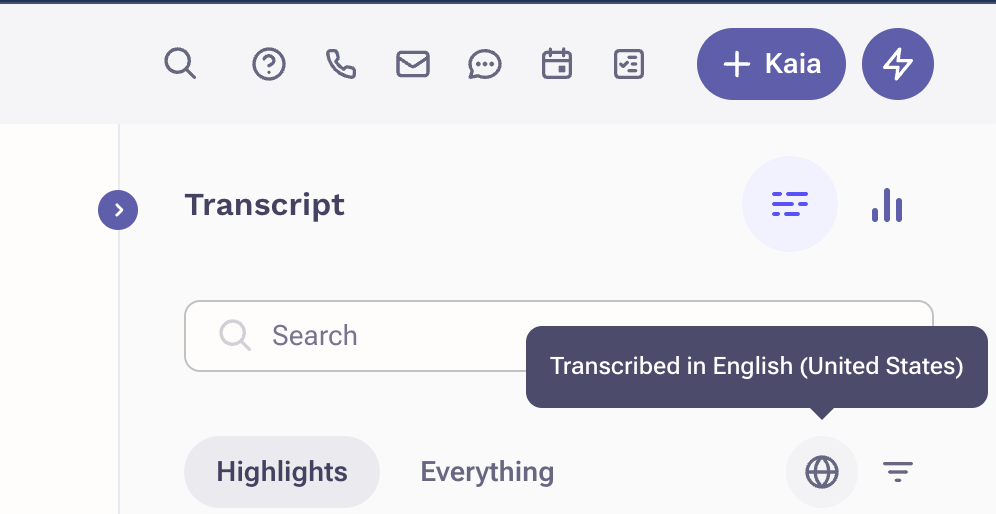
- In the transcript sidebar, click the globe icon.
- Select the language you would like to transcribe the call into.
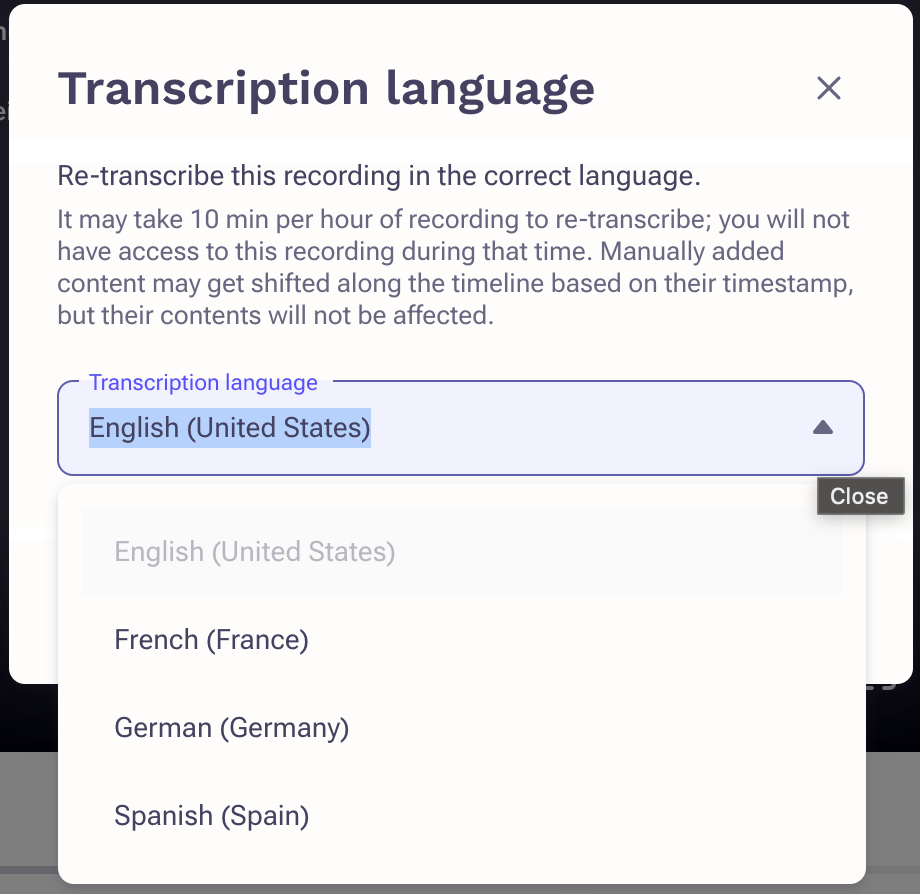
- Click Re-transcribe. You will see a message that transcribing is in progress.
Note: The recording will be unavailable while it is being re-transcribed.
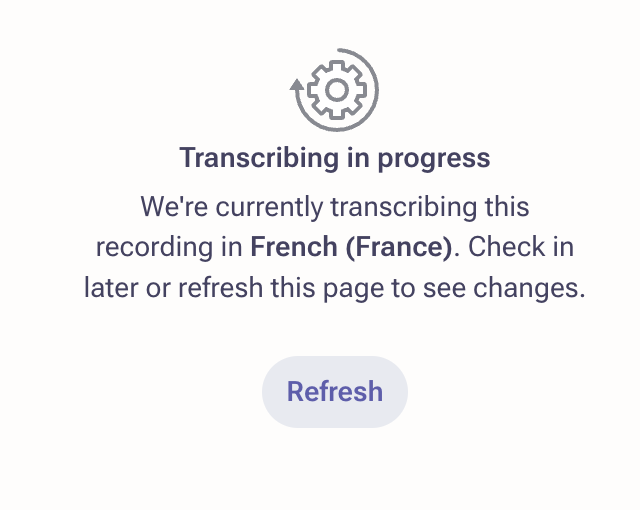
Once completed the call recording will be available again at the original URL.
Additional Information
Enable and use Kaia Transcription Support in Additional Languages
Was this article helpful?
That’s Great!
Thank you for your feedback
Sorry! We couldn't be helpful
Thank you for your feedback
Feedback sent
We appreciate your effort and will try to fix the article